Apple Log 2 to Rec.709
Free Apple iPhone 18 Pro / 18 Pro Max LUT (Apple Log 2 to Rec.709)
Turns the iPhone 18 Pro / 18 Pro Max's Apple Log 2 / Apple Wide Gamut footage into normal-looking Rec.709 video. One .cube LUT, free for any project, no email.
The zip holds the same LUT twice: a 65-point file for editing, and a 33-point file for monitoring on a camera or in an app, or for older apps that won't load the larger one.
Built from Apple's published spec and checked against Apple's own LUT.
Explore creative packs · from $12Looks for the iPhone 18 Pro / 18 Pro Max
Creative looks built for Apple Log 2 / Apple Wide Gamut. See them on real footage
Bransford Media iPhone Looks
Five creative looks for Apple Log, Apple Log 2 and standard SDR footage. One purchase includes every version.
30 .cube files, 33- and 65-point. Instant download.
Apple Log · Apple Log 2 / Apple Wide Gamut · Rec.709 (no log)
View looks & formats$19
Secure checkout by Stripe. Refund policy
Warm & Golden
Golden, Vivid and Amber Glaze: pronounced warmth, punchy daylight colour and a quieter warm finish.
30 .cube files, 33- and 65-point. Instant download.
Apple Log · Apple Log 2 / Apple Wide Gamut · S-Log3 / S-Gamut3.Cine · S-Log3 / S-Gamut3 · Rec.709 (no log)
View looks & formats$12
Secure checkout by Stripe. Refund policy
Cool & City
Blue Hour, Print and Steel: blue shadows, dense colour and a restrained cool finish.
30 .cube files, 33- and 65-point. Instant download.
Apple Log · Apple Log 2 / Apple Wide Gamut · S-Log3 / S-Gamut3.Cine · S-Log3 / S-Gamut3 · Rec.709 (no log)
View looks & formats$12
Secure checkout by Stripe. Refund policy
Light & Soft
Airy, Porcelain and Rose: lifted pastels, cooler soft tones and a warm rose finish.
30 .cube files, 33- and 65-point. Instant download.
Apple Log · Apple Log 2 / Apple Wide Gamut · S-Log3 / S-Gamut3.Cine · S-Log3 / S-Gamut3 · Rec.709 (no log)
View looks & formats$12
Secure checkout by Stripe. Refund policy
Grit & Mono
Bleach, Charcoal and Silver: muted colour, soft black and white, and crisp black and white.
30 .cube files, 33- and 65-point. Instant download.
Apple Log · Apple Log 2 / Apple Wide Gamut · S-Log3 / S-Gamut3.Cine · S-Log3 / S-Gamut3 · Rec.709 (no log)
View looks & formats$12
Secure checkout by Stripe. Refund policy
Complete Looks Bundle
All 17 looks from the five packs, with Apple Log, Apple Log 2, both Sony S-Log3 gamuts and SDR versions. Includes the starter pack and the free Soft Doc sample. Buy the bundle or individual packs; there is no need to buy both.
170 .cube files, 33- and 65-point. Instant download.
Apple Log · Apple Log 2 / Apple Wide Gamut · S-Log3 / S-Gamut3.Cine · S-Log3 / S-Gamut3 · Rec.709 (no log)
View looks & formats$49
Secure checkout by Stripe. Refund policy
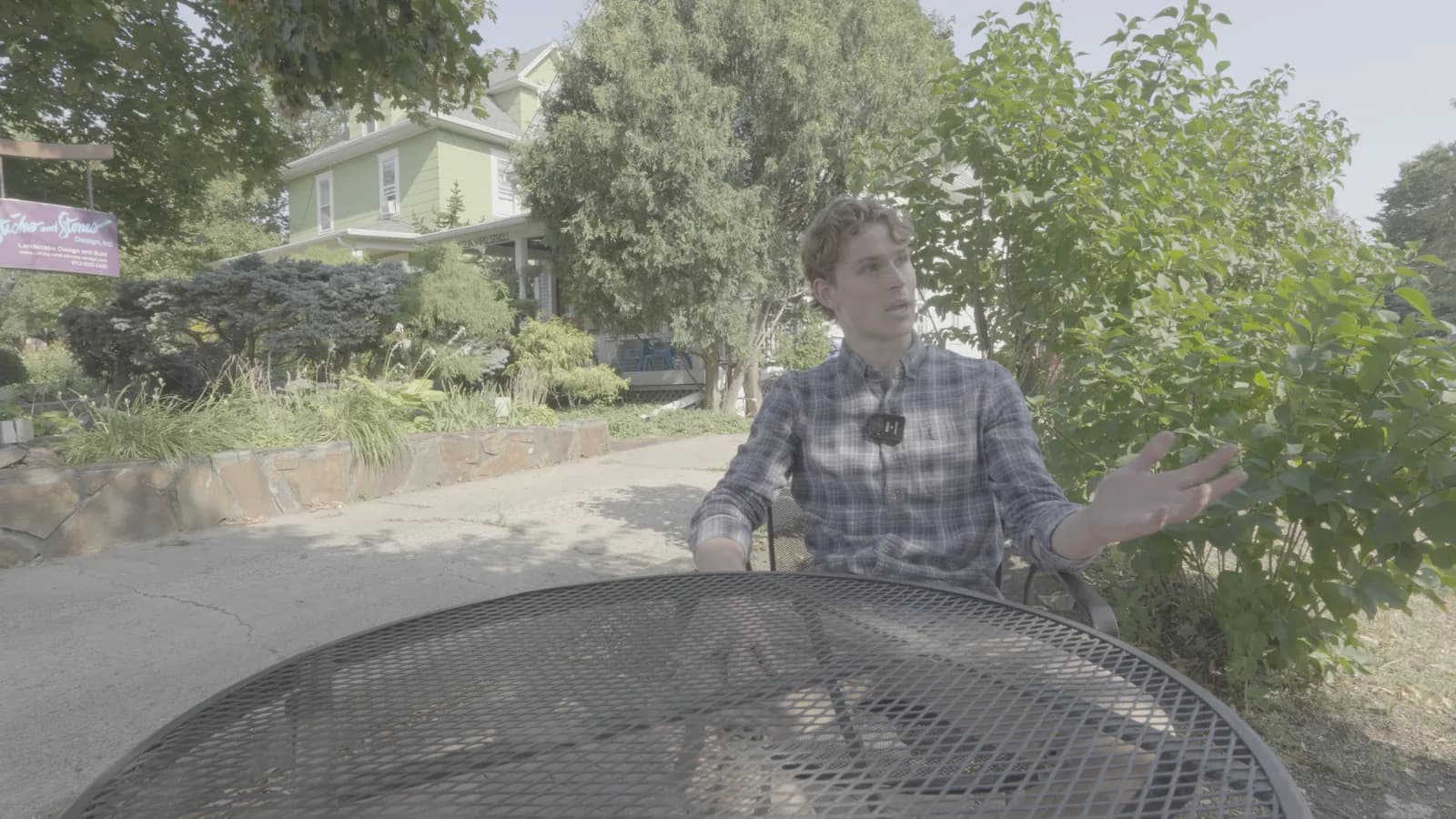
Apple Log 2, as recorded
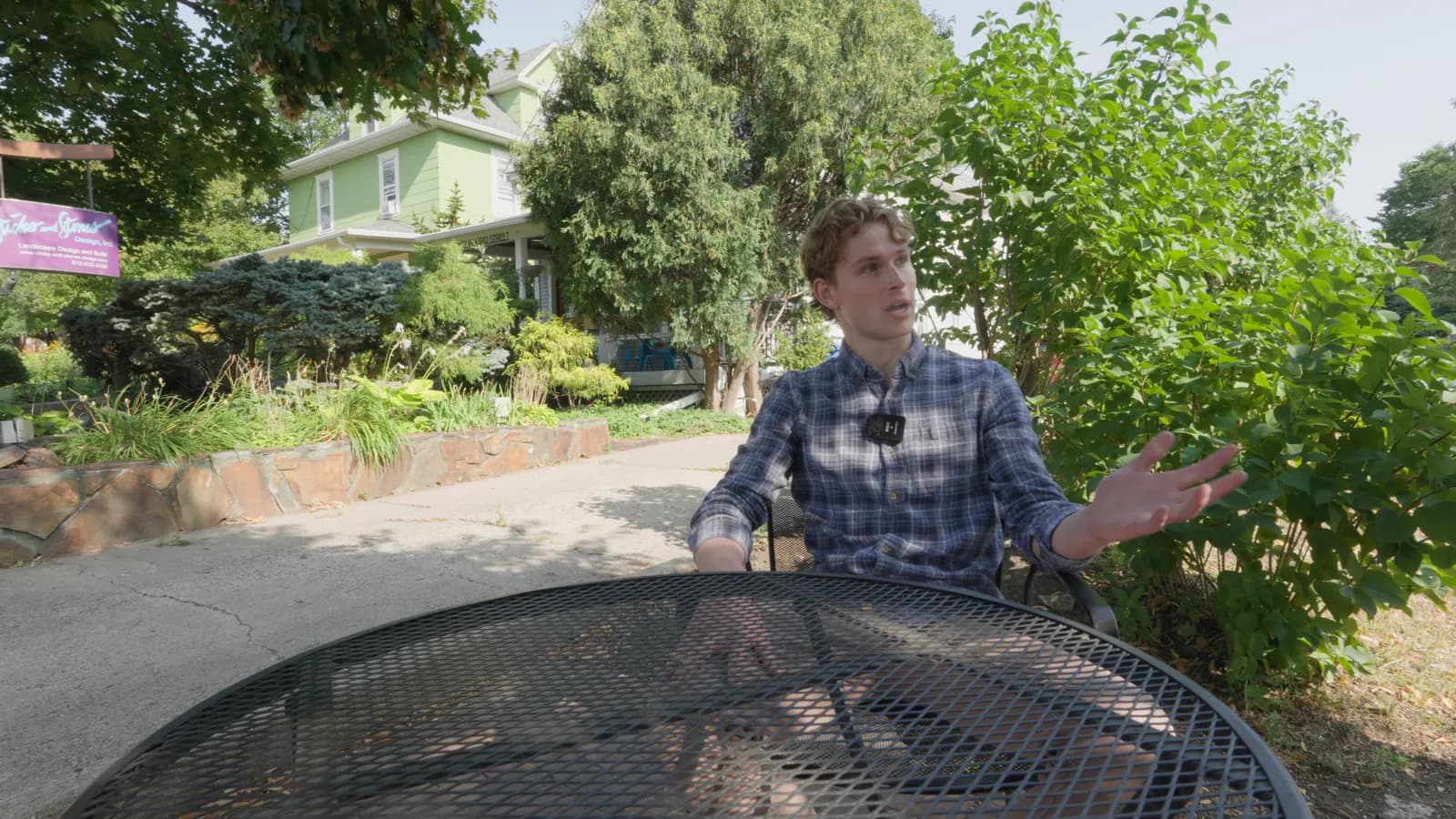
With the LUT
The LUT converts Apple Log 2, the Apple Log curve with Apple Wide Gamut color, as the manufacturer publishes them, into Rec.709 through the ACES 2.0 output (SDR, 100 nits).
Built from: Apple, Apple Log 2 White Paper.
Set up the iPhone 18 Pro / 18 Pro Max
- Camera app: Settings > Camera > Formats > turn on Apple ProRes and Configure Pro Video Storage (first time), then ProRes Log Video Encoding > Log or Log 2; pick a ProRes Log option in Video mode.
- ProRes Log up to 4K30 internal; up to 4K120 to compatible external USB-C storage. ProRes RAW via apps such as Final Cut Camera.
- HEVC Apple Log 2: Final Cut Camera (Apple Log 2 requires iPhone 17 Pro or later) or Blackmagic Camera 3.5.1+ (adds iPhone 18 Pro support).
Sources
- support.apple.com
iPhone 18 Pro tech specs (introduced 2026): ProRes up to 4K120 with external recording, ProRes RAW, ACES, Apple Log 2, genlock (18 Pro Max: https://support.apple.com/en-us/148591)
- apple.com
Apple press release Sept 9, 2026
- support.apple.com
iPhone User Guide (iOS 27): Settings > Camera > Formats > Apple ProRes; choose ProRes Log in Video mode; 17 Pro/18 Pro choose 'ProRes Log Video Encoding' Log or Log 2; 18 Pro needs Pro Video Storage configured; ProRes up to 4K30 internal, 15 Pro 4K60 and 16/17/18 Pro 4K120 only to external storage; 128 GB 15 Pro/16 Pro internal limited to 1080p30
- support.apple.com
Final Cut Camera: Apple Log requires iPhone 15 Pro or later; Apple Log 2 'wider color gamut than Apple Log', requires iPhone 17 Pro or later; HEVC or ProRes codec with log colour space
- developer.apple.com
Apple developer docs: appleLog = BT2020 primaries + Apple-defined log curve; appleLog2 = 'Apple Gamut' primaries + Apple-defined log curve
- support.apple.com
Final Cut Pro for Mac has Apple's built-in 3D LUTs converting Apple Log and Apple Log 2 to Rec.709
- apps.apple.com
Blackmagic Camera App Store version history: 3.1 (Sep 2025) support for Apple Log 2 and ProRes RAW; 3.5.1 support for iPhone 18 Pro
- developer.apple.com
Apple Developer downloads search for 'Apple log profile' (redirects to Apple ID sign-in; exists but contents not viewable without login)
Recording a different profile?
Built from Apple's published spec and checked against Apple's own LUT.
About Apple Log
Install it in your editor
Get the free Soft Doc look for Apple Log 2
Quiet and honest for interviews and documentary: gentle contrast, restrained colour, clean whites.